Get early access

Edit the text that's already in your PDF.

Click a word, retype it. Retype PDF keeps the original font, size and position — no text boxes pasted on top, no broken layout. And it runs entirely on your computer, so contracts and invoices never get uploaded anywhere.
One email when it launches, with a founding-member discount. No spam, unsubscribe anytime.

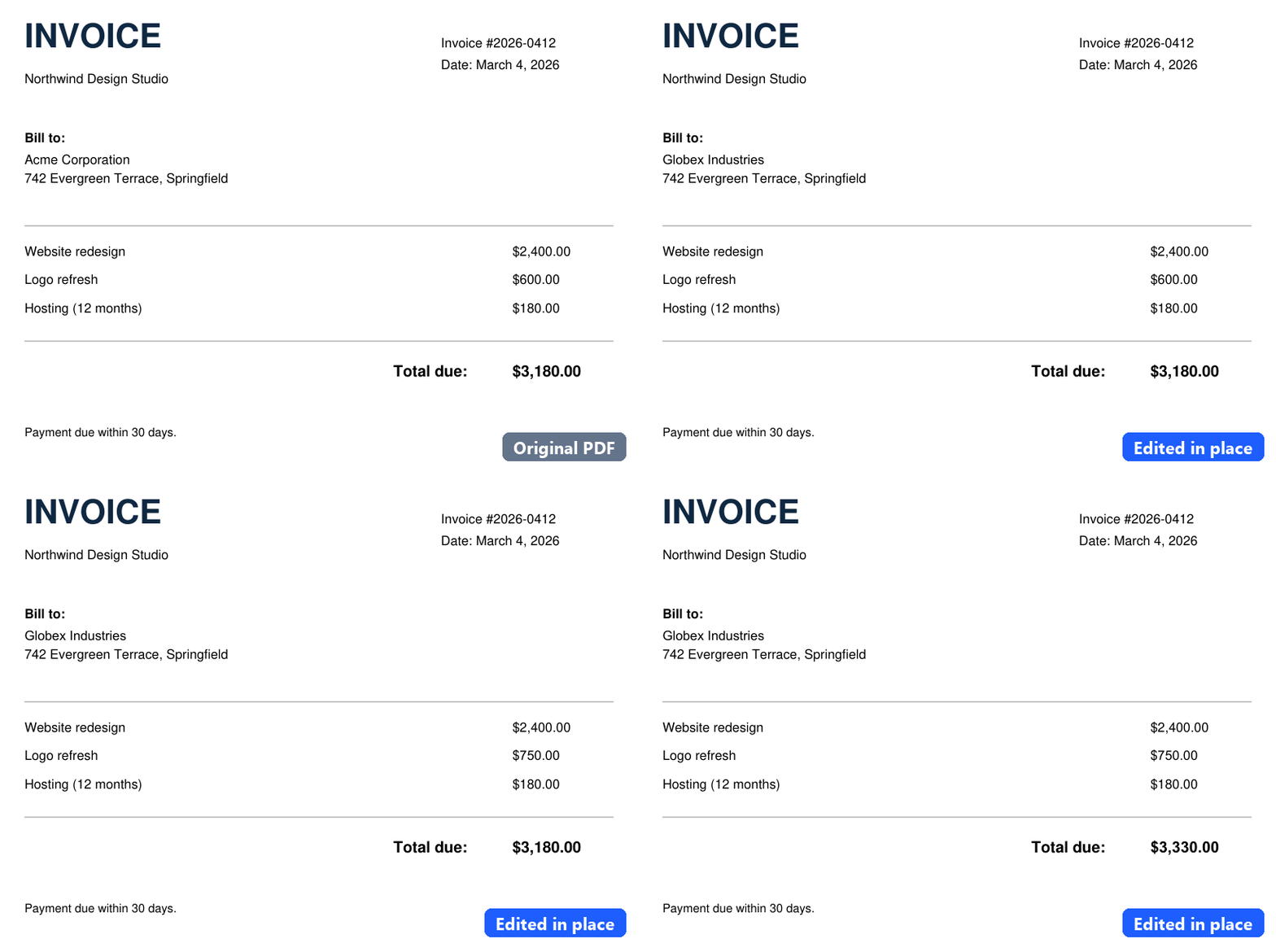
An invoice PDF where the client name, a line amount and the total are edited in place, keeping the original font.

Why it's different

Real text, not an overlay

Most "PDF editors" hide the old word under a white box and paste new text on top. Retype PDF replaces the text itself, so copy, search and accessibility still work.

Matches the original font

It reuses the font embedded in the PDF. When a glyph is missing, it falls back to the closest installed font and tells you.

100% offline

Nothing is uploaded. Open a file, fix it, save it — all on your machine. Safe for NDAs, payroll and client documents.

Compared with the usual options

Retype PDFOnline PDF editorsAcrobat Pro
Edits the existing textYesOften an overlayYes
Files stay on your computerYesUploadedYes
PriceOne-time (planned)Ads or subscriptionSubscription

Questions

Is it available now?

Not yet. The editing engine works today; we're packaging it for Windows, macOS and the browser. Join the list and you'll get one email when it's ready.

Does it work with scanned PDFs?

No — scanned pages are images, not text. Retype PDF is for PDFs exported from Word, Excel, design tools or accounting software.

What about non-English text?

Yes. It already handles Latin and CJK (Japanese, Chinese, Korean) text, including fonts with stripped character maps.